Pages & layout
Generated frames are the raw material; pages are the deliverable. The Page, Transform, and Comp nodes turn a canvas of shots into finished, exportable comic pages.
The Page node
A Page is a canvas with panel slots. Pick from twelve preset layouts — full bleed, 2-ups, the 3-up family, 4-up and 6-up grids, two manga-style irregulars, and an inset — or flip on Num Grid and just say how many panels (1–16); the grid shapes itself, keeping cells near-square for your page size.
Each slot is an input handle. Feed panels from Outputs (generated frames), References (imported art), Transforms (cropped frames — next section), or a Comp. In the properties panel you set the layout, gutter (0–32px between panels), background color, and export dimensions — the preview always shows true page proportions.
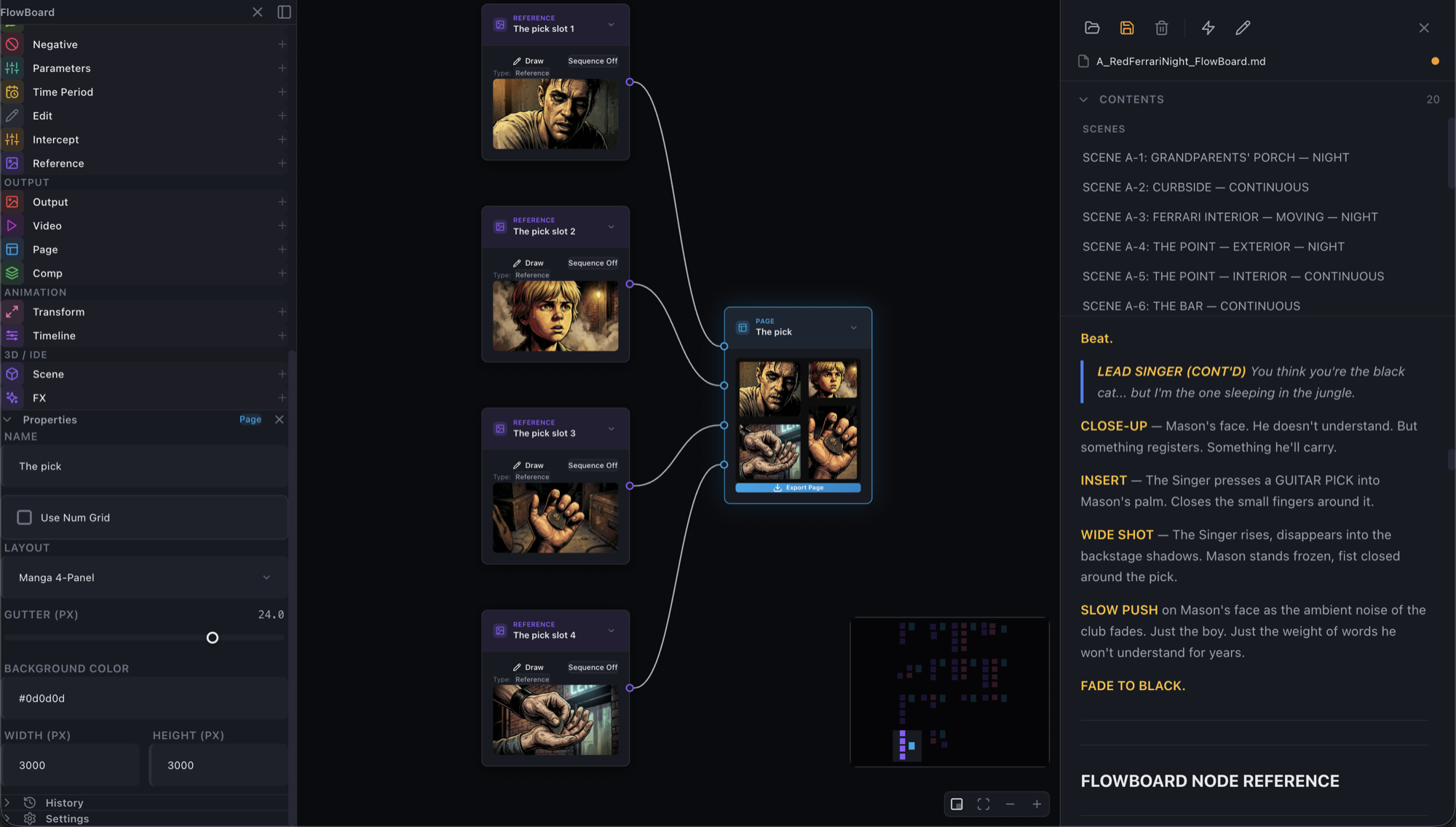
Export Page renders the composite and downloads it as a PNG at your set dimensions. One page per click; for batch production across a whole act, that's what the flowboard-layout skill is for.
Framing panels with Transform
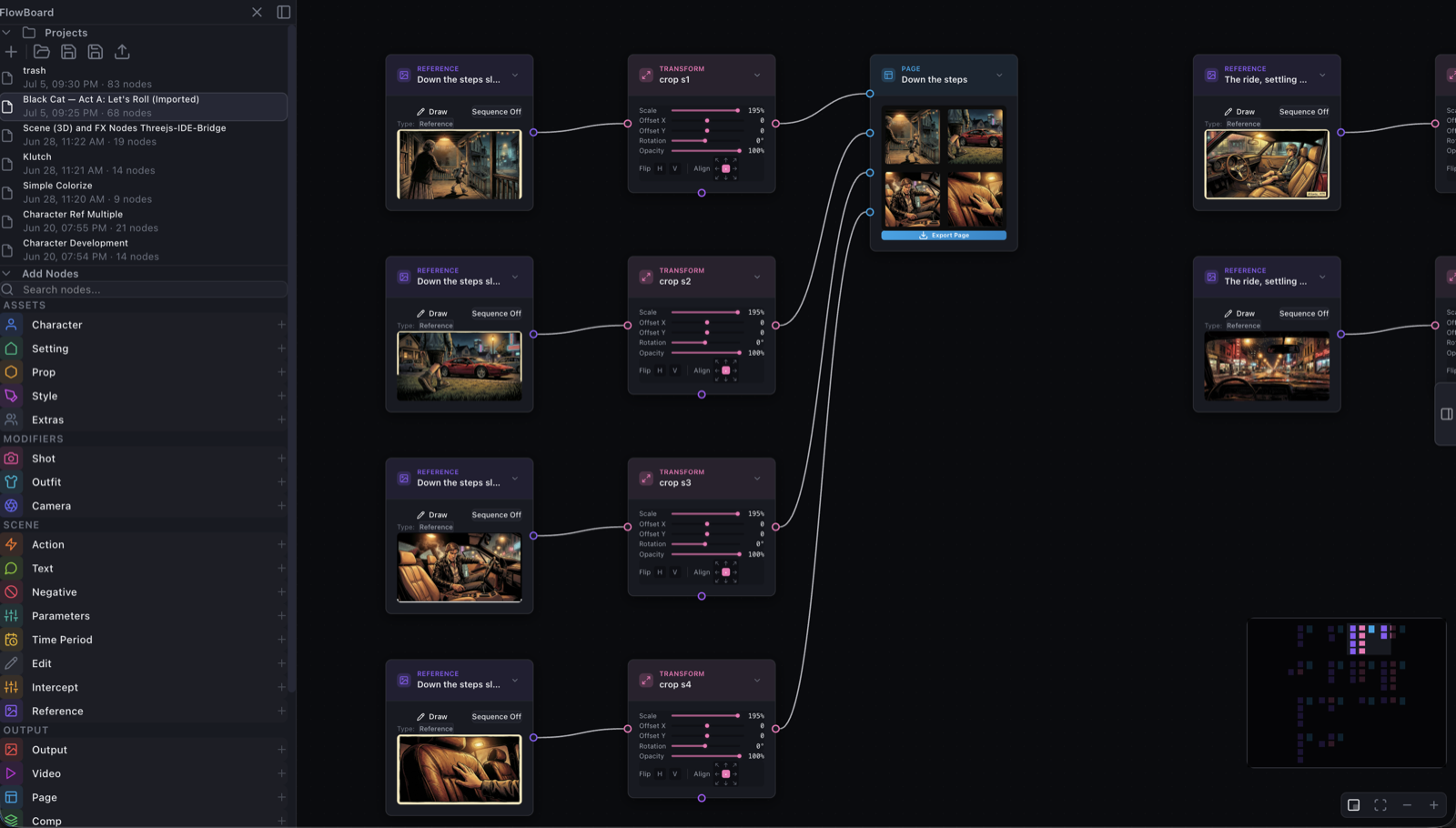
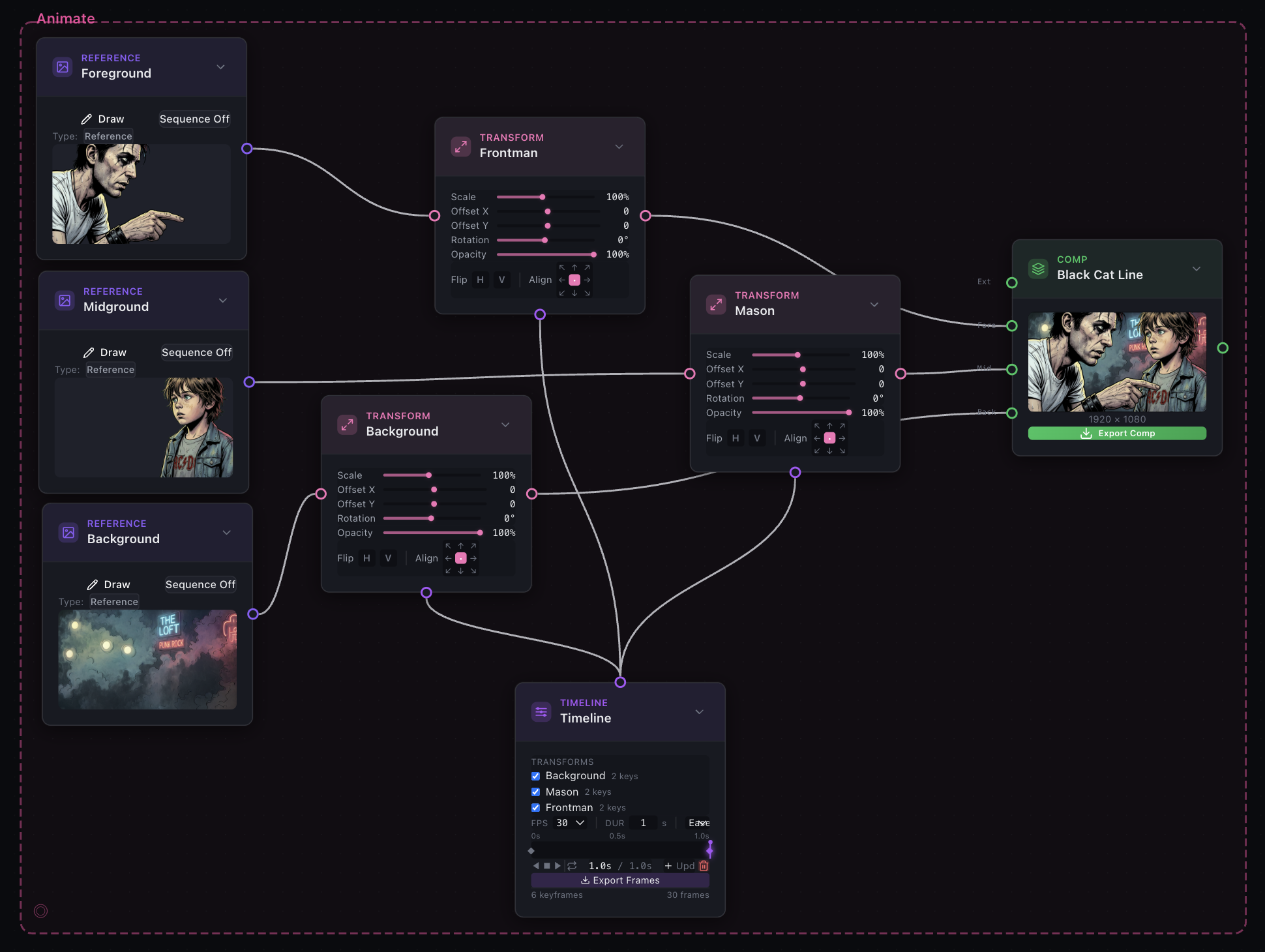
Left alone, a panel cover-crops its image — fills the slot, trims the overflow, centered. When the automatic crop isn't the right crop, put a Transform between the image and the panel:
- Scale (10–200%): 100% shows the whole image letterboxed; zoom in from there.
- Offset X/Y (±100% of the panel): pan the crop window.
- Rotation (±180°), flip H/V, and opacity.
- The 3×3 anchor pad sets where scaling and rotation pivot — anchor a face at the top, zoom, and the crop grows downward from it.
Changes preview live in the connected panel. This is the exact mechanism the layout skill writes for every planned crop — which means machine-planned pages arrive fully hand-tunable:
Compositing with Comp
The Comp node stacks up to four layers — back, mid, fore, ext — rendered in that order onto its own canvas (1920×1080 by default). Feed layers from Outputs, References, FX, Scene captures, or Transforms; give each layer its own Transform for position, scale, and opacity, and you have parallax-ready separation: sky plate behind, environment in the middle, characters in front, effects on top.
A Comp's composed result flows onward like any image — into a Page panel, or through FX — and Export Comp downloads it standalone. (Layer blending is opacity-only; there are no multiply/screen modes yet.)
Fine print
Change a layout's panel count and its handles reposition automatically — if a wire ever looks attached to nothing, deselect and reselect the node to refresh it; edges pointing at slots the current layout doesn't have are simply ignored. The anchor pad is a pivot, not a crop tool — cropping is scale + offset doing the work. And exports are always PNG, named flowboard-page-<timestamp>.png, straight to your downloads.
Where it fits
Pages close the loop the Script Panel opens: screenplay → graph → frames → pages. For rhythm-planned, whole-act page production — splash placement, panel density, per-panel crops decided from the story — hand the job to the flowboard-layout skill and fine-tune the result here.