References & consistency
The reason FlowBoard graphs beat one-off prompts: define a face, a place, or a look once, attach an image to it, and every shot that wires it in holds steady. This chapter is the consistency playbook.
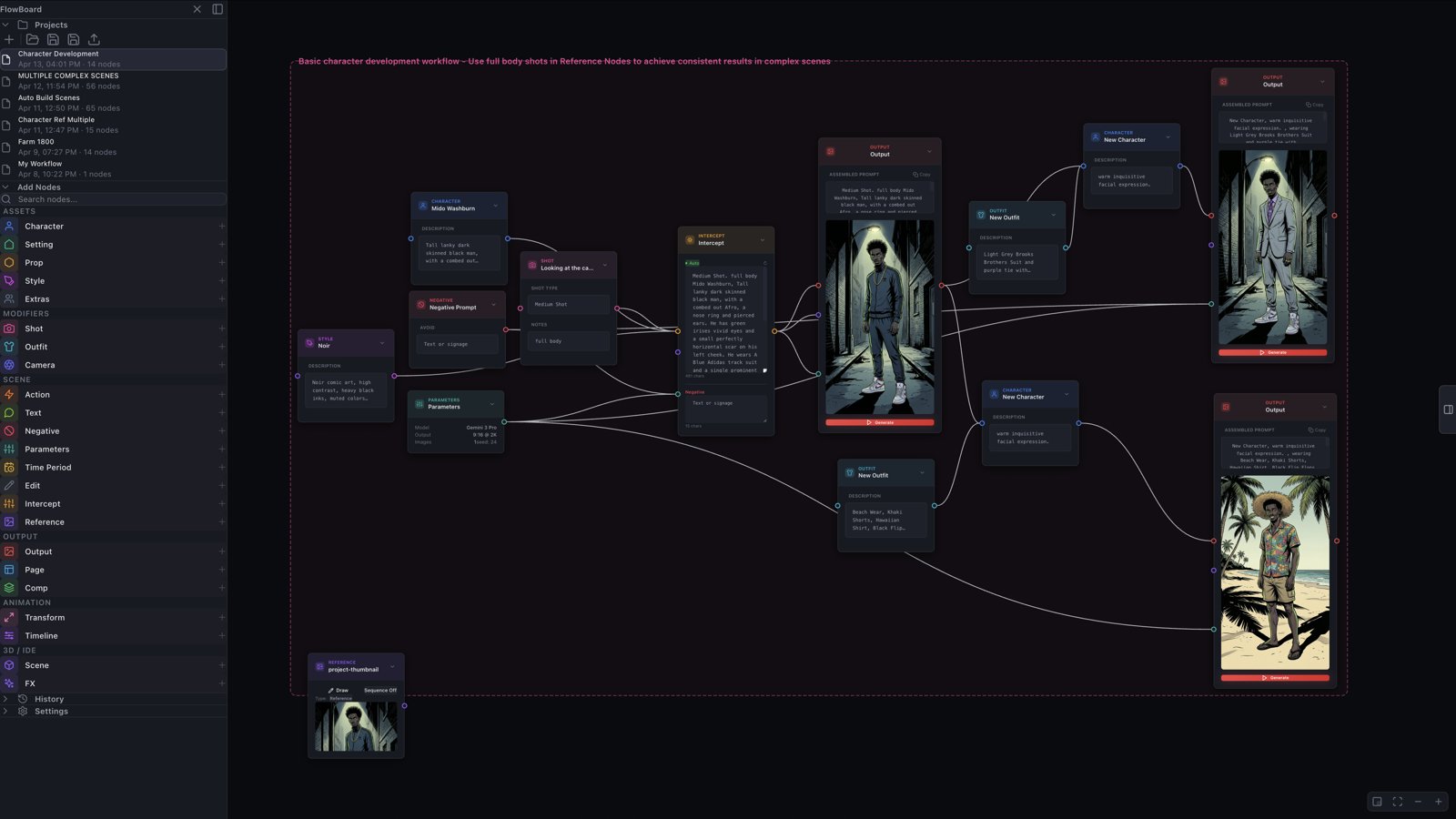
The Reference node
A Reference carries an image into the graph. Load one however you like — file picker, drag-and-drop, or just paste from the clipboard.
Two extras worth knowing:
- Draw opens a built-in sketch canvas — brush, eraser, size/opacity controls, undo, and a trace layer that ghosts any image underneath at adjustable opacity. Sketch a composition or trace a pose, save, and the drawing becomes the node's image. A reference you couldn't find is one you can make.
- Sequence flips the node into a multi-frame browser with a thumbnail strip and playhead. Today it's a staging area — generation uses whichever frame you've parked on — built ahead of FlowBoard's animation features.
Wiring for consistency
Where you connect a reference decides what it means:
Reference → Character (or Setting, Prop, Style). The anchor move. The image binds to that asset, and the model receives it labeled plainly — "Reference for character: Ray. …" — alongside the asset's own description. Every Output that pulls the asset gets the image too. Settings, Props, and Styles have a dedicated reference handle for this; one reference per asset is the rule (extra connections are quietly ignored).
Output → Output. Iteration. Wire a finished render into the next Output's reference handle and the new generation treats it as "visual style and subject reference" — refine a shot without losing what worked. This is also the fastest consistency loop there is: generate a portrait, then feed that Output straight into the character's shots.
A Reference on its own. Not wired to anything but the Output, a reference is general visual guidance — a mood board frame, a palette, a texture.
Scene → Output. Composition reference from a 3D block-in — that one has its own chapter.
Outfits: text-level consistency
The Outfit node layers wardrobe onto a character — "…wearing a rumpled white button-down, sleeves rolled" — as text, independent of the reference image. One character node, several outfit nodes, and a costume change is a re-wire instead of a rewrite. Reference image and outfit stack: the face holds from the image, the clothes from the outfit.
The portrait pipeline
Putting it together — the pattern behind every consistent cast:
- Build the character node with a concrete description (Getting Started walks through it).
- Generate a clean full-body portrait on a plain background — that's the reference gold standard.
- Wire that portrait back in: either the Output directly, or save the image into a Reference node attached to the character.
- Reuse the character in every scene. Face, hair, and wardrobe hold; only the action changes.
The skills automate this whole loop — portrait generation and wiring included — when you'd rather run it at act scale.
Fine print
A few edges, none of them daily concerns: some providers accept only a single reference image per generation (Gemini handles several; roughly three to five clear references work best). An Intercept node is a boundary — references upstream of it reach the Output only through what the Intercept passes along. And the Draw tool's stroke data stays local to the node; it's the saved image that generates.