Generative video
The Video node animates your storyboard. It's the newest — and most experimental — corner of FlowBoard: the node, its options, and its behavior are all still moving. Right now it generates through Google's Veo models only.
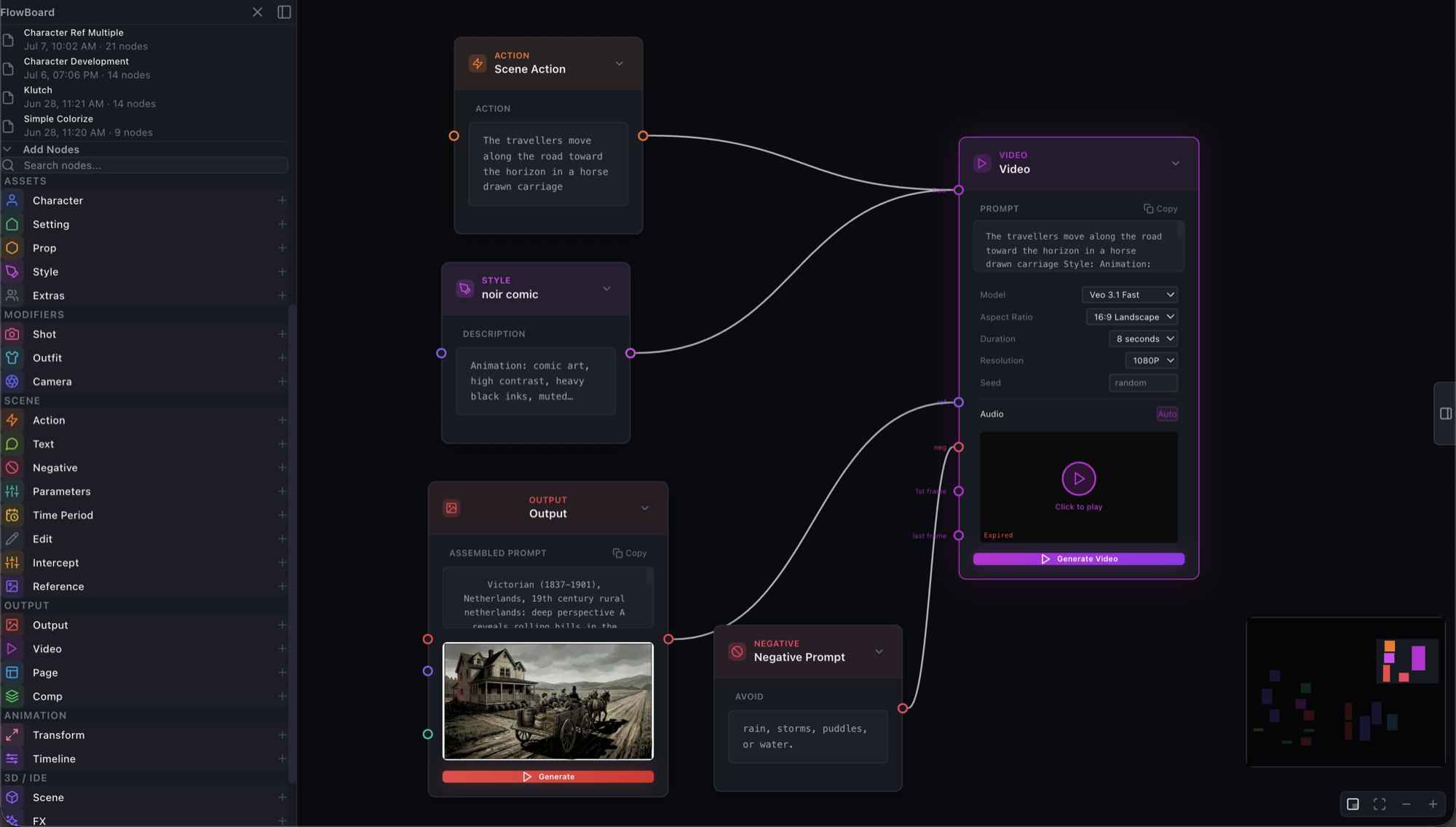
It works like an Output node that renders motion instead of a frame. The same nodes that assemble an image prompt assemble the video prompt:
Wiring it
The Video node has five inputs, each labeled at the handle:
- flow — the main line. Wire Action, Style, and friends here and their text assembles into the prompt box, or just type a prompt directly.
- ref — reference images for character and style consistency, same idea as an Output's reference handle.
- neg — Negative nodes; their avoid-text is appended to the prompt.
- 1st frame — an image that becomes the video's opening frame (image-to-video). This is the continuity move: generate a still you like, then animate that.
- last frame — add an ending image too and the model interpolates between the two.
The knobs
Model (Veo 3.1 Lite / Fast / Standard), aspect ratio (16:9 or 9:16), duration (4, 6, or 8 seconds), resolution (720P / 1080P / 4K), and an optional seed for repeatability. Audio is always generated by the Veo 3.x models — there's no off switch — so expect a soundtrack.
Here's the result of the graph above — the generated farm still from the Output node, set in motion with its noir style intact, sound and all:
Fine print
Generated videos are served from Gemini and expire 48 hours after generation — the node marks them Expired and offers Download MP4; download anything you want to keep. And a reminder that this whole area is experimental: models, options, and wiring may change between visits.
Where it fits
Video sits at the end of the same pipeline as everything else: script → graph → frames → pages, and now — for the shots that deserve it — motion. Pair it with the References playbook to keep your cast consistent from stills into animation.